This product is finished, and it's for sale.
frugalitiAI ran as a live service and took real payments. It is no longer accepting sign-ups and the hosted service has been retired — what follows is a tour of the working product, captured from the real app. The whole thing is available to buy: source, desktop apps for both platforms, the routing design and its test data. Enquire about buying it. Goes to the William Arby contact form. Mention frugalitiAI in your message.
Top-tier AI results.
A fraction of the cost.
frugalitiAI routes every request to the best value model that can competently do the job — automatically. You get the quality; you skip the bill.
Enquire about buying it
See it running
Built and shipped on Windows and macOS · last release v0.6.4
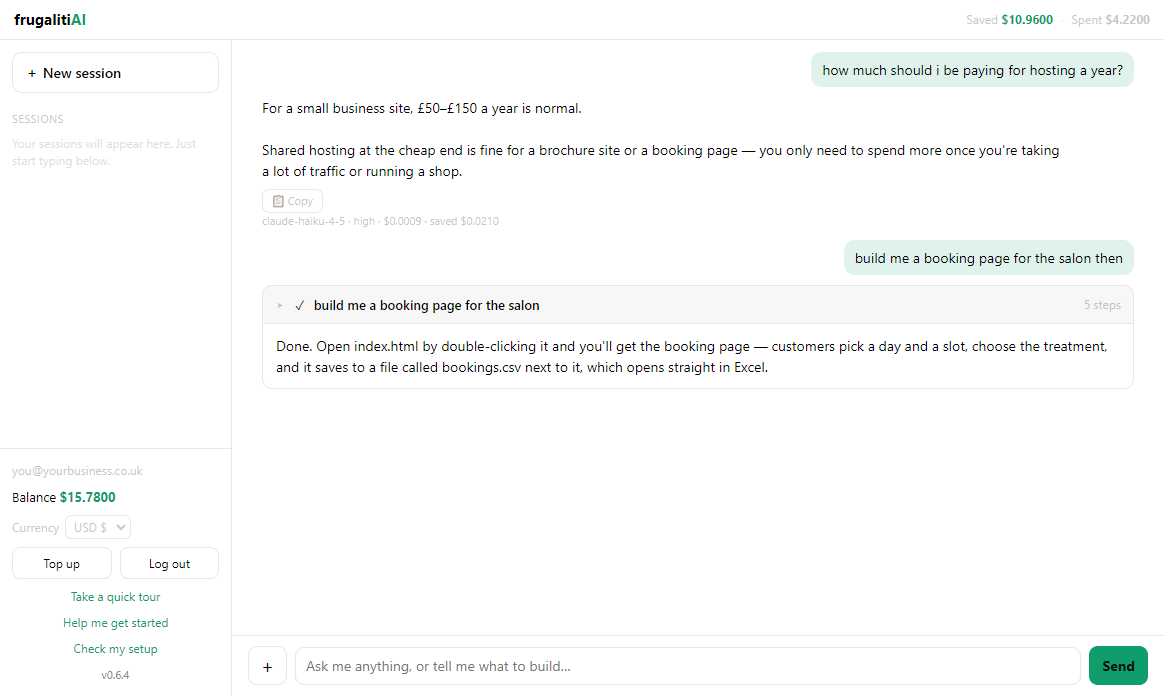 Ask, or tell it what to build
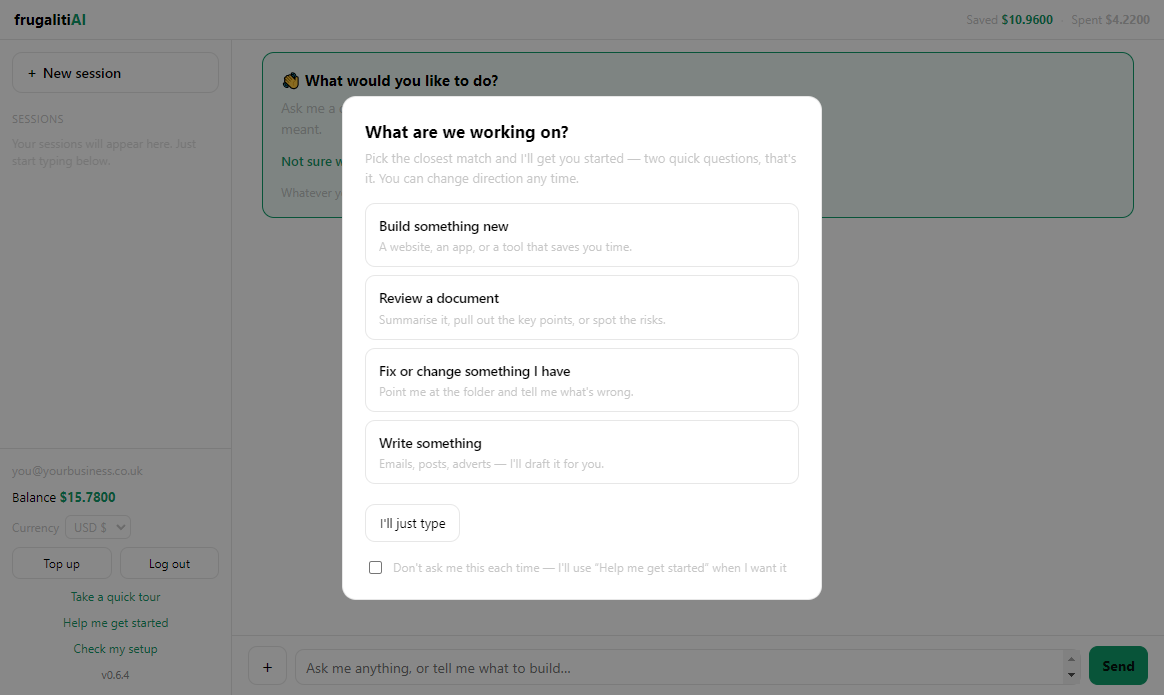 Not sure how to ask? It helps
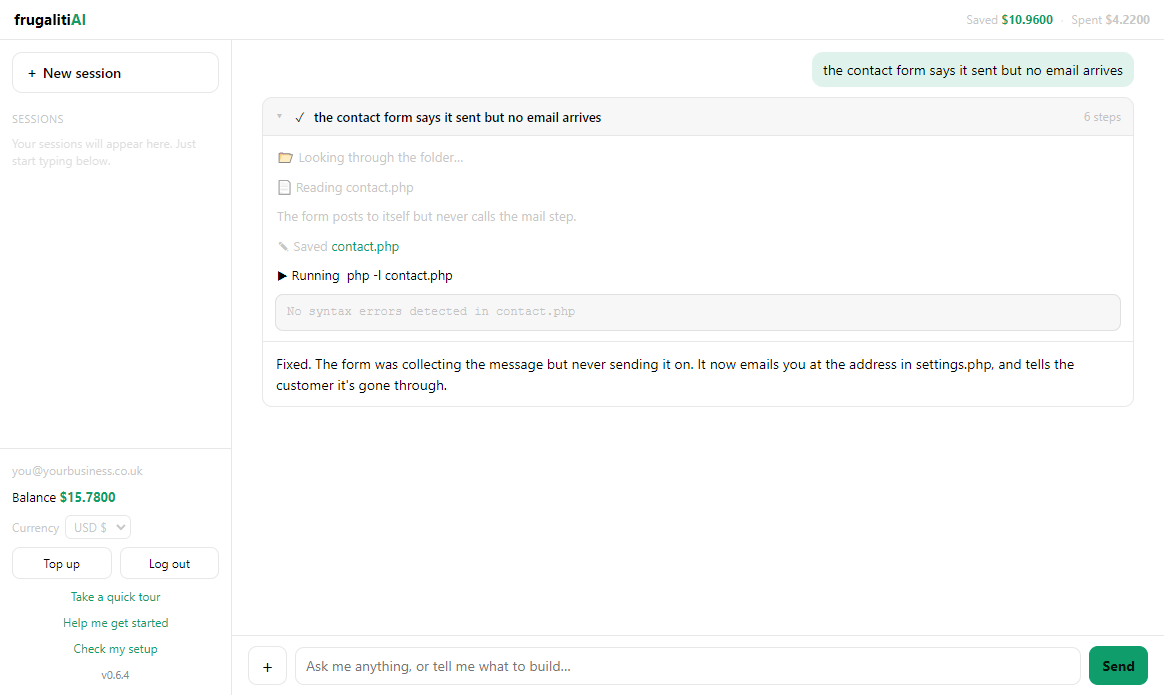 See every step it took
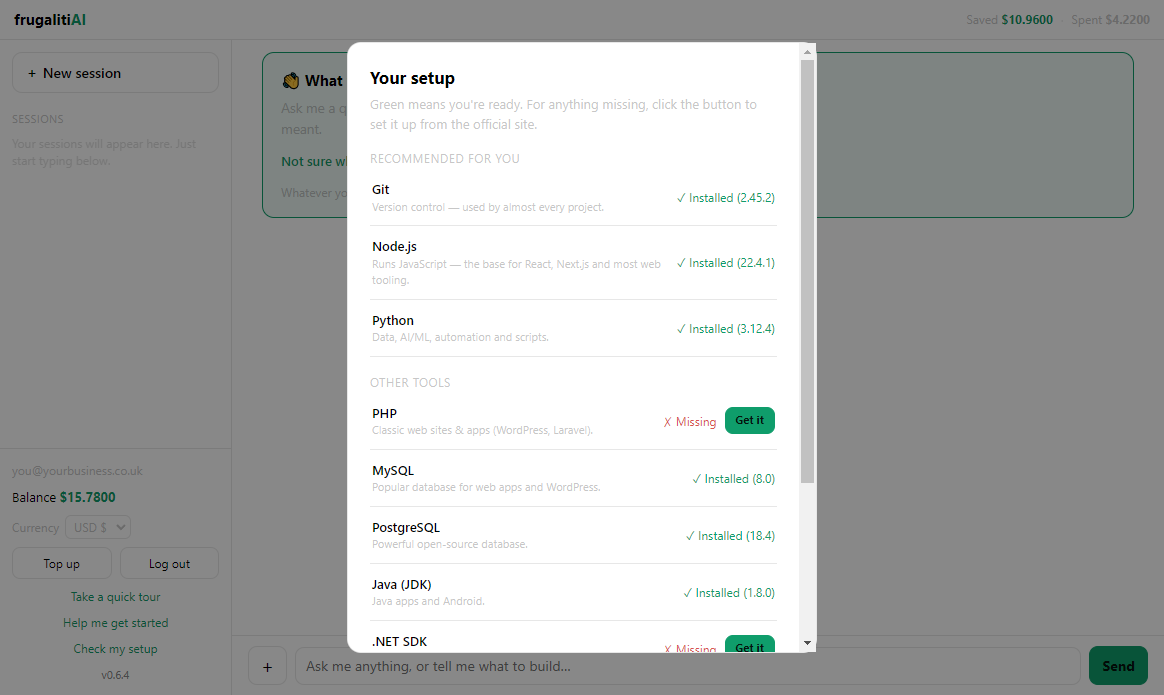 Checks what's on your PC
Your task
→
smart router
→
$Haiku
$$Sonnet ✓
$$$Opus
$$$$Fable
Each request goes to the cheapest model likely to handle it well — and escalates automatically if it doesn't. You never pick a model.